

inflow-inventory
Inventory Cycle Count: Find the Leak, Not Just the Gap
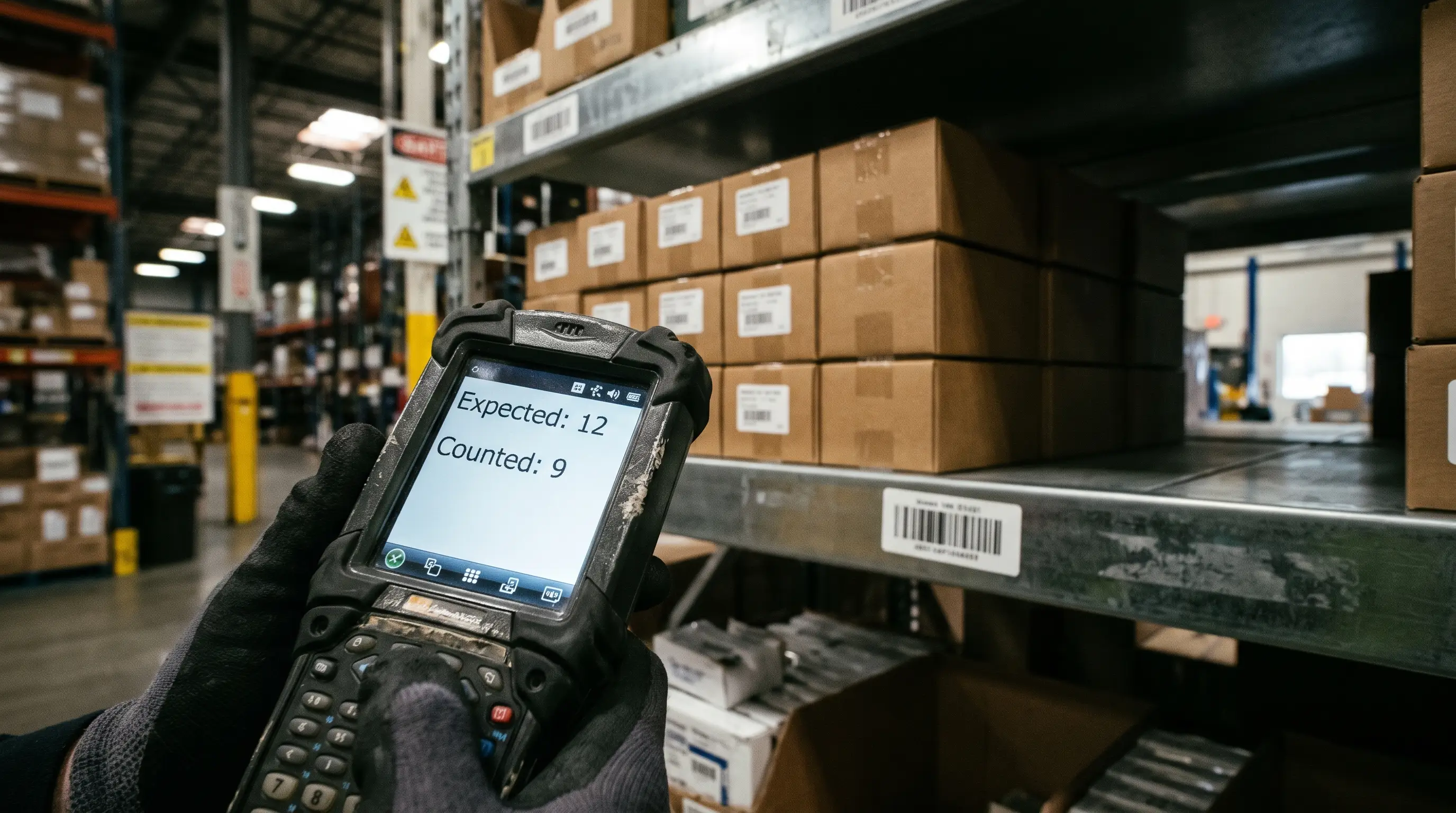
Your system says 12 on the shelf. Your picker finds 9. Someone types in 9, the order ships, and nobody thinks about it again until the same product comes up short next month.
An inventory cycle count is meant to stop this: you count a small part of your stock every week instead of closing for one big stocktake. Most guides explain how to set one up. This one explains why many cycle counts quietly fail, and the habit that makes them pay off.
Quick answer: An inventory cycle count is only worth the staff hours if every gap gets a reason before it gets an adjustment. Count the products that cause trouble most often, not just the most expensive ones. Recount large gaps, check open orders and transfers first, then record why the number was wrong. Fixing the number without the reason just hides the leak until next month.
What an inventory cycle count really costs, and what it saves
A full stocktake usually means pausing orders and staying late. A cycle count spreads the same work across the year in short, regular sessions.
Here is an illustrative plan for a business with 600 products (each one a SKU, or stock-keeping unit: a separate item with its own code, such as “black T-shirt, size M”):
| Group | Which products | How many | How often | Counts per year |
|---|---|---|---|---|
| A | Fast movers, high value, or often wrong | 60 | Monthly | 720 |
| B | Steady sellers | 150 | Quarterly | 600 |
| C | Slow movers | 390 | Twice a year | 780 |
| Total | 600 | 2,100 |
That is about 40 products a week (2,100 ÷ 52 = 40.4). If counting takes about a minute per product (illustrative), that is roughly 40 minutes a week. Time your first two sessions to find your real speed.
The bigger saving is the leaks you find. Say one product at RM 45 cost comes up 3 units short every month. That is RM 135 a month, or RM 1,620 a year, from a single SKU (illustrative). A yearly stocktake shows you the total loss once. A monthly count shows you the pattern while you can still act on it.

Decide what to count with the “trouble first” rule
Sorting by value alone misses the items that go wrong.
Rule of thumb: a product belongs in group A if any one of these is true:
- It is in your top 10% by sales volume or stock value.
- A customer order has failed because of it in the last 3 months.
- It has been adjusted by hand twice or more in the last 3 months.
- It looks like another product (same box, different size or colour).
- It is sold in more than one unit, such as by the piece and by the box.
Review the groups every quarter. A product that counts clean three times in a row can move down a group. One that keeps surprising you moves up.
Run each count session in five steps
- Pick the slot. Count before picking starts, or in a section where nothing is being shipped or received.
- Keep the count honest. If your counters can see the expected quantity, they may stop looking once the numbers match. Where your system allows it, count from a list without expected quantities. Where it does not, have a second person recount a few lines each week.
- Recount big gaps. Set a tolerance, meaning the size of the gap you accept without checking further. An illustrative rule: recount a line when the gap is worth more than RM 100, or when it is both more than 2 units and more than 5% of the expected quantity. That way, 20 missing screws at RM 0.50 each out of 5,000 does not trigger a recount, but 3 missing phones at RM 800 each does.
- Check paperwork before adjusting. Look for orders picked but not yet shipped, purchase orders received but not entered, transfers between locations, and returns sitting in a corner.
- Record the reason, then adjust. Write down why each line was wrong before you accept the new number.
How this works in inFlow Inventory
In inFlow, the web app’s stock counts let you split products across several count sheets and assign each sheet to a team member. You can give a counter “Count sheet only” access, so they can enter quantities but cannot create, prepare, copy, or cancel the count. Multi-sheet counts open only in the web app, not the Windows app. Each sheet moves from In progress to Completed when the counter clicks Complete and adjust. Once every sheet is done, the count goes to In review, and a manager clicks Finalize count. inFlow’s guide to creating and completing a stock count in the web app has the steps.
Two cautions. First, the web count shows a Discrepancy column that updates as quantities are entered, so it is not a blind count. Use the second-person recount from step 2. Second, inFlow’s help pages on stock counts do not mention a reason for each line. So keep a short variance log (product, gap, cause) and fill it in before the counter clicks Complete and adjust on each sheet.
If stock moves mid-count, inFlow’s Windows stock count guide advises cancelling and starting a new count.
For one-off corrections outside a count, the Reason drop-down on a stock adjustment uses a list you can edit under Options, Inventory, Adjustment reasons. See inFlow’s page on how to adjust stock levels. We are an inFlow Inventory reseller, but this routine works in any system.
Turn stock count discrepancies into fixes
The reason log is where a cycle count earns its money. If every line says “correction”, it tells you nothing. Here is an illustrative month of gaps, sorted by cause:
| Reason | What it usually means | Lines | Value (RM) | Fix to try |
|---|---|---|---|---|
| Picked wrong item | Similar products stored side by side | 6 | 420 | Separate them, add clear labels |
| Damaged, not recorded | Breakage thrown away quietly | 4 | 270 | A damage bin with a weekly log |
| Unexplained loss | No paperwork reason found | 2 | 225 | Watch that area, tighten access |
| Wrong unit | Box entered as pieces, or the reverse | 2 | 92 | Check that product’s unit settings |
| Not received in system | Delivery shelved before it was recorded | 3 | 0 (stock was there) | Receive before shelving, every time |
| Total | 17 | 1,007 |
“Picked wrong item” is the most common cause and the most costly, so moving look-alike products apart is this month’s first fix. Damage comes second, and a damage bin costs almost nothing.

What can go wrong with cycle counting
Counting while stock moves. Orders ship mid-count, so the system and the shelf are measured at different moments. Early warning: gaps that reverse on the next count. Fix: count before picking starts, or close one section at a time.
Every gap marked “correction”. The same products keep drifting. Early warning: one reason makes up most of your log. Fix: use cause-based reasons and review them monthly.
Counters confirm instead of count. Staff see the expected number and stop looking. Early warning: months of near-perfect counts while customers still hit missing stock. Fix: second-person spot checks on a few lines each week.
Box and piece mixed up. A product bought by the carton but sold by the piece gets counted in the wrong unit. Early warning: huge gaps on one product that are close to a multiple of the carton size. Fix: label shelves with the counting unit and check the product’s unit settings.
The count gets skipped when busy. Errors grow fastest in the busiest weeks. Early warning: group A products not counted for more than six weeks. Fix: a fixed day, one named owner, and sessions short enough to survive a busy week.
When a cycle count is the wrong choice
- Your records are badly wrong. Do one full count first for a clean starting point, then begin cycle counting.
- You have a small range. With fewer than about 100 products and one person in charge, a full monthly count may be simpler than managing groups (rule of thumb).
- Stock leaves without paperwork. If staff take items without a sales order or adjustment, counting more often only measures the mess. Fix the process first.
- Your accountant needs a year-end count. Ask whether cycle counts are acceptable for your year-end figures before you drop the annual stocktake.
If your counts show the real problem is reorder timing, our guide to setting reorder points that actually work is the better next read.

Before you start: a checklist for your team meeting
Bring the owner or operations lead to set the rules, one person to own the weekly count, and whoever receives deliveries. Setting up groups and reasons is usually a few hours for a small range (rough guide). After that, upkeep is the weekly session plus a monthly review of about 30 minutes.
- Every product sorted into group A, B, or C using the trouble-first rule
- A fixed count day, time slot, and named owner
- A written recount tolerance
- A short list of cause-based reasons and a place to log them
- A rule that deliveries are recorded before they are shelved
- A monthly review date for the reason log
Still tracking stock in a spreadsheet? Read our signs you have outgrown spreadsheet inventory first. Spreadsheets do not record who changed a number or why.
Frequently asked questions
How often should a small business do a cycle count?
Hold one short session every week, with each product on its group’s schedule. If sessions often run past an hour, move some group C products to a longer cycle.
How do I measure inventory accuracy?
Divide the lines within your tolerance by the lines counted, then multiply by 100. If you count 40 lines this week and 34 are within tolerance, your accuracy is 85%. Unlike comparing total counted stock with total recorded stock, this stops overs on one product from hiding shorts on another. Track it weekly.
Can I cycle count without stopping sales?
Yes, if you count sections where nothing is moving, or count before orders are picked. Counting a shelf while orders are picked from it creates false gaps.
Make your inventory cycle count find the cause
Fix the top cause first, then watch its line in the log. In the illustrative month above, if look-alike products are moved apart, “Picked wrong item” might go from 6 lines to 4, then 1 over the next two months. If it does not shrink, the fix was wrong, and you know within weeks. When it does, you stop dreading the customer call about an “in stock” order that cannot ship, because you trust the number on the screen.
If you want help setting up stock counts and adjustment reasons in inFlow Inventory, talk to us about making your stock numbers trustworthy.