

ai-automation
AI Email Triage: Test It Before It Misroutes Customers
Your shared inbox gets quote requests, order questions, billing queries, and the occasional angry customer, all mixed together. Someone has to read every message just to decide who should handle it. AI email triage promises to do that sorting for you. This guide covers the part most articles skip: how to know it’s working before you trust it, and where it quietly goes wrong.
Quick answer
AI email triage fails silently. When it sends an email to the wrong team, nothing breaks, and no alarm goes off. The email just sits in the wrong queue until a customer chases. So before you let it sort on its own, do three things: test it on your own past emails, give it a “not sure, ask a person” option, and check a few simple numbers every week. Let it sort alone only the email types that pass your test.
What AI email triage looks like in a no-code tool
You don’t need developers to build this. A no-code automation platform such as Zapier or n8n lets you set it up as a chain of steps on screen. Mustard Tree is a Zapier partner. n8n is often the better choice if you want to keep the automation on your own servers for data-control reasons.
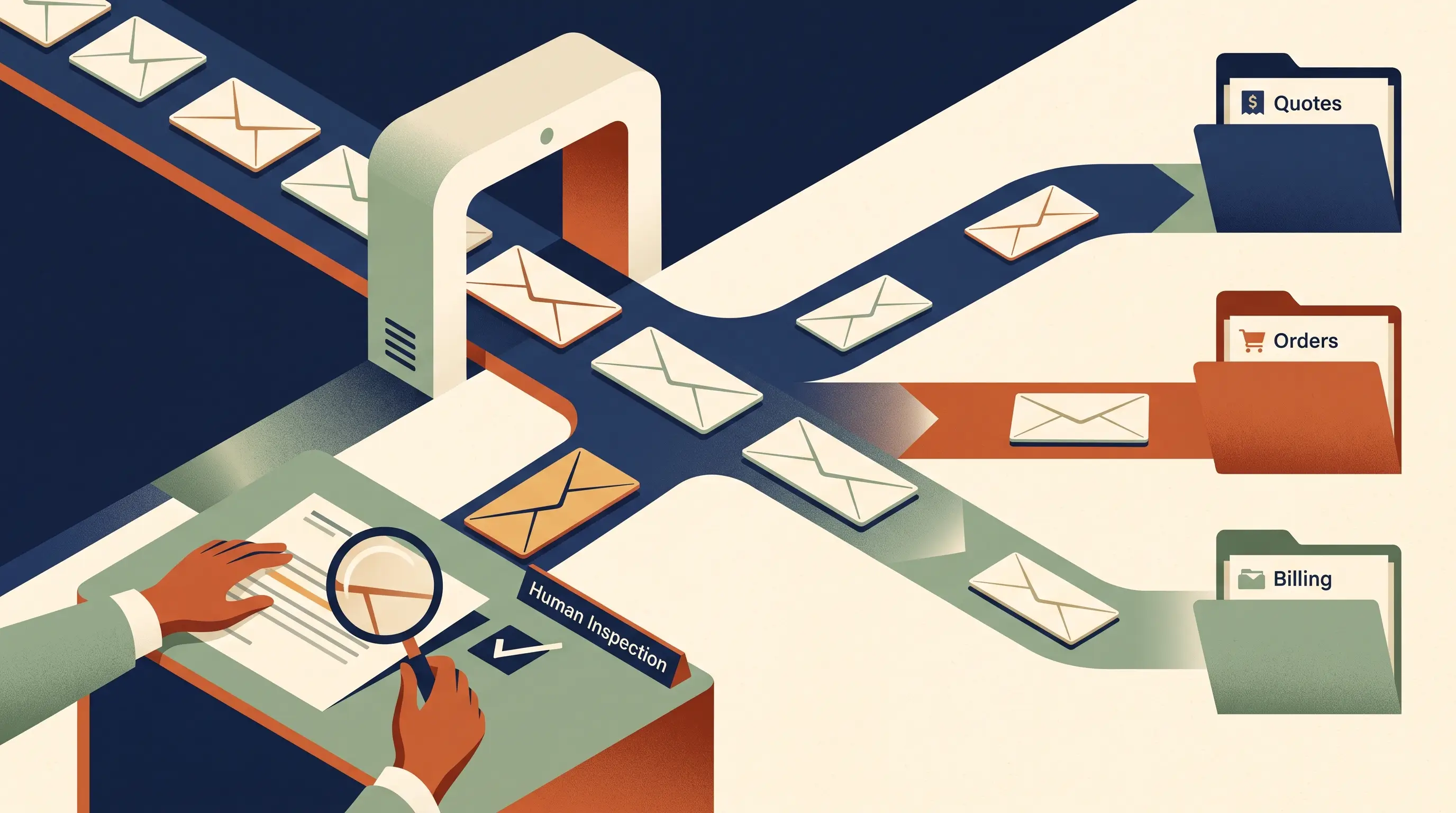
A typical setup has five steps:
- When: a new email arrives in the shared Gmail or Outlook inbox.
- AI step: an AI model reads the email and picks one category from a fixed list you provide.
- Check: is that category on your “trusted to sort alone” list?
- If yes: apply the label and assign the email to the right person or team.
- If no: add it to a review list, such as a shared spreadsheet or a “To check” folder, with the AI’s suggested category next to it.
Most guides show steps 1, 2, and 4. Steps 3 and 5 are what make the system safe to rely on.
Give the AI a fixed list, not a blank page
If you ask the AI “what kind of email is this?”, you’ll get a different answer every time: “Billing”, “billing question”, “a payment-related enquiry”. Your automation can’t sort on that.
Instead, give it a short, fixed list to choose from. For example:
- Quote request
- Order status
- Billing
- Complaint
- Not sure: needs a person
The last option matters most. Without it, the AI has to force every unclear email into the nearest box. With it, the AI has an honest way to say “I don’t know”. Also ask the AI for a one-line reason with each choice. When something lands in the wrong place, that reason tells you why.

A neat answer is not the same as a right answer
Most AI tools can now be set to answer only from your list, so the answer always comes back tidy. Anthropic’s own guidance on this feature promises the format, not the judgment. That solves the “messy answer” problem.
But it only guarantees the answer is tidy, not that it is correct. If the AI labels a complaint as “Order status”, the label looks perfectly normal, and your automation happily files it. Nothing in the tool will warn you. The only way to catch this is to test against emails where you already know the right answer.
Test it on your own past emails first
Before going live, pull a batch of real past emails, roughly 150 to 250 from at least a month of traffic (rule of thumb), so the messy ones are included. Have someone on your team write down the correct category for each. Then run them through the AI step and compare its picks with your team’s answers.
Worked example (illustrative)
Say you test 200 past emails. The numbers below are illustrative, not client results:
| Email type | Emails tested | AI got it right | Accuracy |
|---|---|---|---|
| Quote request | 70 | 68 | 97.1% |
| Order status | 60 | 59 | 98.3% |
| Billing | 40 | 37 | 92.5% |
| Complaint | 30 | 24 | 80.0% |
| Total | 200 | 188 | 94.0% |
An overall score of 94% sounds good. Look per email type, though, and one complaint in five goes to the wrong place. Complaints are exactly the emails you can least afford to delay.
A decision rule: what the AI may sort on its own
Rule of thumb: let the AI sort an email type on its own only when it scores at least 95% in your test, and a mistake is cheap to fix. For everything else, the AI suggests a category and a person confirms it.
Applied to the table above:
- Quote requests and order status pass, so the AI sorts them alone. That is 130 of 200 emails, or 65% of the inbox.
- Billing and complaints don’t pass, so they go to the review list with the AI’s suggestion attached.
If the inbox gets 300 emails a week in the same mix, about 195 of them are sorted with no human step. At an illustrative one minute per email to read and forward, that saves 195 minutes, or 3.25 hours a week. To measure the saving honestly, subtract the time your team now spends on the review list. Don’t count all 300 emails as saved.
What can go wrong
1. The same email gets handled twice
Automation tools sometimes run a step twice, for example after a brief network glitch. One email can then create two tickets or send the customer two auto-replies.
How you’ll notice: duplicate tickets for the same email, with the same sender, subject and time. Fix: keep a simple log of emails already handled, and add a step at the start that skips any email already on it.
2. Replies get sorted out of context
A customer replies “Still waiting, this is the third time” to an order-status conversation. Read on its own, that sounds like a complaint, so the AI sends it to a different team from the one handling the order.
How you’ll notice: one customer conversation split across two teams, with neither seeing the full picture. Fix: let the AI sort only the first email in each conversation. Replies go to whoever already owns that conversation.
3. Emails slip through when the AI service is busy
AI services cap how much they will handle at once, and are occasionally overloaded. Anthropic lists both situations among the reasons a request can fail. During a burst, such as a big reply-all to a newsletter, some emails can fail at the AI step.
How you’ll notice: emails that arrived but never got a label. Fix: set the automation to retry a few times, then send anything that still fails to the review list instead of dropping it. Once a day, compare “emails received” with “emails labelled”. If the two numbers don’t match, something fell through.
4. Your category list goes out of date
You launch a new product or service, and questions about it start arriving. None of your categories fit, so the AI scatters them across whichever boxes look closest.
How you’ll notice: the share of “Not sure” emails creeps up week by week, or a team complains about emails that aren’t theirs. Fix: if the “Not sure” share rises for two weeks in a row, read a sample, add or split a category, and re-run your test.
The review list: where people stay in charge
The review list is where your team confirms or corrects the AI’s suggestions. Keep it quick to use:
- Show the AI’s suggested category and its one-line reason next to each email.
- Make confirming one click and correcting not much more.
- Record every correction: what the AI suggested and what the right answer was.
Those corrections become your next test. Once an email type has gone 4 weeks and at least 50 reviewed emails with fewer than 1 in 20 corrections, it has earned the right to be sorted on its own. On Monday morning, instead of wondering what got buried over the weekend, you can see exactly which emails the AI wasn’t sure about.
Don’t rely on the AI’s own confidence score
It’s tempting to ask the AI how confident it is and auto-sort anything it rates above 90%. But the AI’s own score isn’t measured against your emails, so treat it as a hint at most. Your test results per email type are the better guide, because they come from your own inbox.
When AI email triage is the wrong choice
Choose something simpler when:
- The inbox gets fewer than about 20 emails a day (rule of thumb). One person can skim and forward that many in a few minutes, and setting up and watching an automation costs more than it saves.
- Senders can tell you the category themselves. If most enquiries come through your website, add a “What is this about?” dropdown to the form. A dropdown is free and never guesses wrong.
- Ordinary email rules already work. Invoices from a known supplier or order notifications from your online shop can be sorted by sender or subject with your email program’s built-in filters. No AI needed.
- Emails contain sensitive personal details, such as ID documents or health information. Before sending that content to any outside AI service, check your data-protection obligations and the provider’s terms.
AI email triage earns its place when volume is high, customers write in their own words, and sorting needs judgment simple rules can’t capture.

Frequently asked questions
How accurate does AI email triage need to be before going live?
There’s no single number. It depends on what a mistake costs for each email type. A misrouted quote request costs a few minutes, while a misrouted complaint can cost a customer. Set a bar for each email type, test against your own emails, and keep people checking the weaker types.
Can I set up AI email sorting without a developer?
Yes. No-code platforms such as Zapier and n8n can watch an inbox, ask an AI model to pick a category, and route the email based on the answer. The testing and the review list are still up to you, and they are what make the setup trustworthy.
Should the AI also reply to customers automatically?
Start with sorting only. A wrong label is easy to spot and fix inside your team, while a wrong reply goes straight to the customer. Add AI-drafted replies one email type at a time, have a person approve each one at first, and only send them automatically once corrections have stayed rare for several weeks.
How do I know it’s still working months after launch?
Check three numbers each week: the share of emails landing in the review list, how often your team corrects the AI there, and emails received against emails labelled. A sudden change in any of them is your early warning, usually before a customer notices.
Getting AI email triage right the first time
AI email triage pays off when you treat it as a system you test and watch, not a setting you switch on once. Test on your own emails, let the AI sort alone only what has earned it, keep a review list, and check the numbers weekly. That is how we approach AI automation projects. If your emails need to flow into other tools, our guide to connecting business apps with Zapier and n8n covers that side, and why businesses lose leads after hours looks at how fast replies win customers.
If your shared inbox has turned into a full-time sorting job, talk to us about testing AI triage on your own emails before you switch anything on.